


Mem is an AI-powered note-taking app that lets you capture ideas running in your brain nerves—without worrying about organization. Just jot things down, and Mem takes care of the rest.
It stores your thoughts, meeting notes, and content, later on using them as a knowledge base to answer your questions. That means Mem helps you find the right notes at the right time—exactly when you need them.
Whether you’re an entrepreneur, creator, or executive, Mem acts as your extended brain, making sure nothing slips through your brain cracks.
Mem AI pricing 💰
- Mem individual plan – Starts at USD 8.33 per month (billed yearly) for personal use with unlimited notes, collections and AI-powered features.
- Mem team plan – Mem team has custom pricing with everything in the individual plan, dedicated success manager, and more.
Mem AI reviews ⭐
- 4 stars out of 5 (14 reviews) on App Store

I’ve been using Mem AI for a while and I absolutely love it. It helps me take notes, organize ideas, and find what I need in seconds. I can also import my emails, SMS, calendars, and other data into my workplace to keep everything organized.
Additionally, I can brainstorm, pen down my notes, and ask Mem AI to summarize insights, retrieve information, and draft unique content based on my notes.
But then I wondered—are there other note-taking apps that might be even better? Maybe I find one that offers better customization, integrates with my favorite apps, or simply feels more intuitive.
If you’re thinking the same thing, you’re not alone.
The good news?
I found plenty of note-taking tools that match or even surpass Mem AI, depending on what you need.
In this guide, I’ll walk you through some of the best Mem AI alternatives, break down their strengths, and help you decide which one might be the perfect fit for you.
What to look for in a Mem AI alternative
Before jumping into the alternatives, let’s take a quick look at what makes a great note-taking tool. It is not just about storing notes—it is about how easily you can access, organize, and make sense of your information. Here are a few things that matter:
- AI capabilities – Does the tool help you find notes quickly, suggest tags, or summarize content?
- Ease of use – A clean and simple interface can make all the difference.
- Integrations – If you use Notion, Google Docs, or Slack, you might want a tool that connects with these apps easily.
- Collaboration – If you work in a team, sharing and editing notes should be effortless.
- Pricing – Some tools are free, while others can be pricey. It is good to know what fits your budget.
Now that we have that covered, let’s dive into the best alternatives.
The best Mem AI alternatives in 2025
There are many note-taking apps that can work as good alternatives to Mem AI. Some offer better customization, while others have more integrations or smarter AI features. The right choice depends on what works best for you.
Notion
The first Mem AI alternative in our list is Notion.

If you’re someone who loves flexibility and wants a tool that goes beyond just note-taking, Notion is worth checking out.
It lets you create everything from simple to-do lists to full-fledged knowledge bases. Moreover, with its AI-powered features, you can easily organize your notes.
Notion AI assistant that can help you brainstorm ideas, write creative content, improve existing content, create summaries and action points from meetings, and translate emails and messages.
What I think about Notion
I must say that Notion can feel overwhelming at first, especially if you are just looking for a quick and simple note-taking experience. But if you take a little time to learn, understand, and set it up, it can become the perfect all-in-one productivity tool.
Notion pricing 💰
- Free version – Free for individuals to organize personal projects and life with 7 day page history and basic page analytics.
- Plus – USD 10 per seat per month (billed yearly) with 30 day page history and more.
- Business – USD 15 per seat per month (billed yearly) with 90 day page history, 250 guests, and more.
- Enterprise – Enterprise has custom pricing you need to contact their sales team.
How Notion compares to Mem AI?
| Feature | Notion | Mem AI |
| Ease of use | Takes time to set up but offers powerful features. | Simple and AI-driven—just take notes, and it organizes them. |
| Organization | Manual structuring with pages and databases. | AI auto-organizes your notes without effort. |
| AI features | AI helps with writing but needs manual input. | AI-powered search, summaries, and content generation. |
| Collaboration | Great for working with teams, with shared workspaces and real-time editing. | Lets you collaborate, but it’s more focused on personal note-taking. |
| Integrations | Connects with many apps like Slack and Google Calendar. | Fewer integrations, but smart AI features fill the gap. |
| Customization | Highly customizable with templates and databases. | Minimal customization, designed for simplicity. |
| Offline access | Works offline with desktop and mobile apps, so you can keep working anywhere. | Limited offline support—you’ll need an internet connection for full functionality. |
| Pricing | Free version available, with paid plans starting at USD 10/month. | Starts at USD 8.33/month for individuals. |
| Best for | Structured note-taking, project management, and teamwork. | Quick, AI-powered note-taking without manual organization. |
Notion reviews ⭐
- 4.7 stars (5,210 reviews) on G2
- 4.7 stars (2,122 reviews) on Capterra
Obsidian

If you prefer a more structured way of taking notes and like the idea of owning your data, Obsidian might be a great fit. Obsidian is the private and flexible writing app that adapts to the way you think.
It stores everything on your device, so you can access them quickly, even offline. No one else can read them, not even them. That means you do not have to worry about cloud syncing and data security if that is a concern for you.
One of its biggest strengths is its backlinking feature, which helps you create connections between your notes/ideas/people/books like a personal wiki. This makes it a great choice for researchers, writers, or anyone who likes to see how their thoughts evolve over time.
You can also visualize the relationships between your notes and find hidden patterns in your thinking through a visually engaging and interactive graph.
What I think about Obsidian
Although Obsidian is a powerful note-taking app, it does not have built-in AI features. So if you rely on automation, you might need to look elsewhere.
Obsidian pricing 💰
- Free – Everything is free for personal use. They don’t charge based on features or usage. Only pay if you use Obsidian commercially.
- Commercial use – USD 50 per user per year with everything in free, commercial use license and priority support.
How Obsidian compares to Mem AI?
| Feature | Obsidian | Mem AI |
| Ease of use | Has a learning curve, especially if you’re new to markdown and local knowledge management. | Super simple—just type and let the AI organize your notes for you. |
| Organization | Uses a graph-based system where every note is linked, giving you full control. | No manual organization needed—Mem connects related notes automatically. |
| AI features | No built-in AI, but you can use plugins to add some AI-powered features. | AI helps you search, summarize, and even generate content based on your notes. |
| Collaboration | Mostly designed for solo use, but you can sync notes across devices with a paid plan. | Built for easy sharing and collaboration, though more focused on individual note-taking. |
| Integrations | Limited native integrations, but has a strong community with many third-party plugins. | Fewer integrations, but AI handles a lot of the heavy lifting. |
| Customization | Highly customizable with themes, plugins, and custom workflows. | Minimal customization—Mem is built for simplicity and automation. |
| Offline access | Fully offline—your notes are stored locally that gives you complete control. | Works best online, with limited offline access. |
| Pricing | Free for personal use, paid plans for sync and publishing start at USD 50/month. | Starts at USD 8.33/month for individuals, with custom pricing for teams. |
| Best for | If you want full control over your notes, local storage, and deep linking, Obsidian is perfect. | If you want an AI-powered assistant that helps you find and use your notes effortlessly, Mem AI is a great choice. |
Obsidian reviews ⭐
- 4.8 stars (34 reviews) on Capterra
- 4.8 stars (532 reviews) on Product Hunt
MyMind
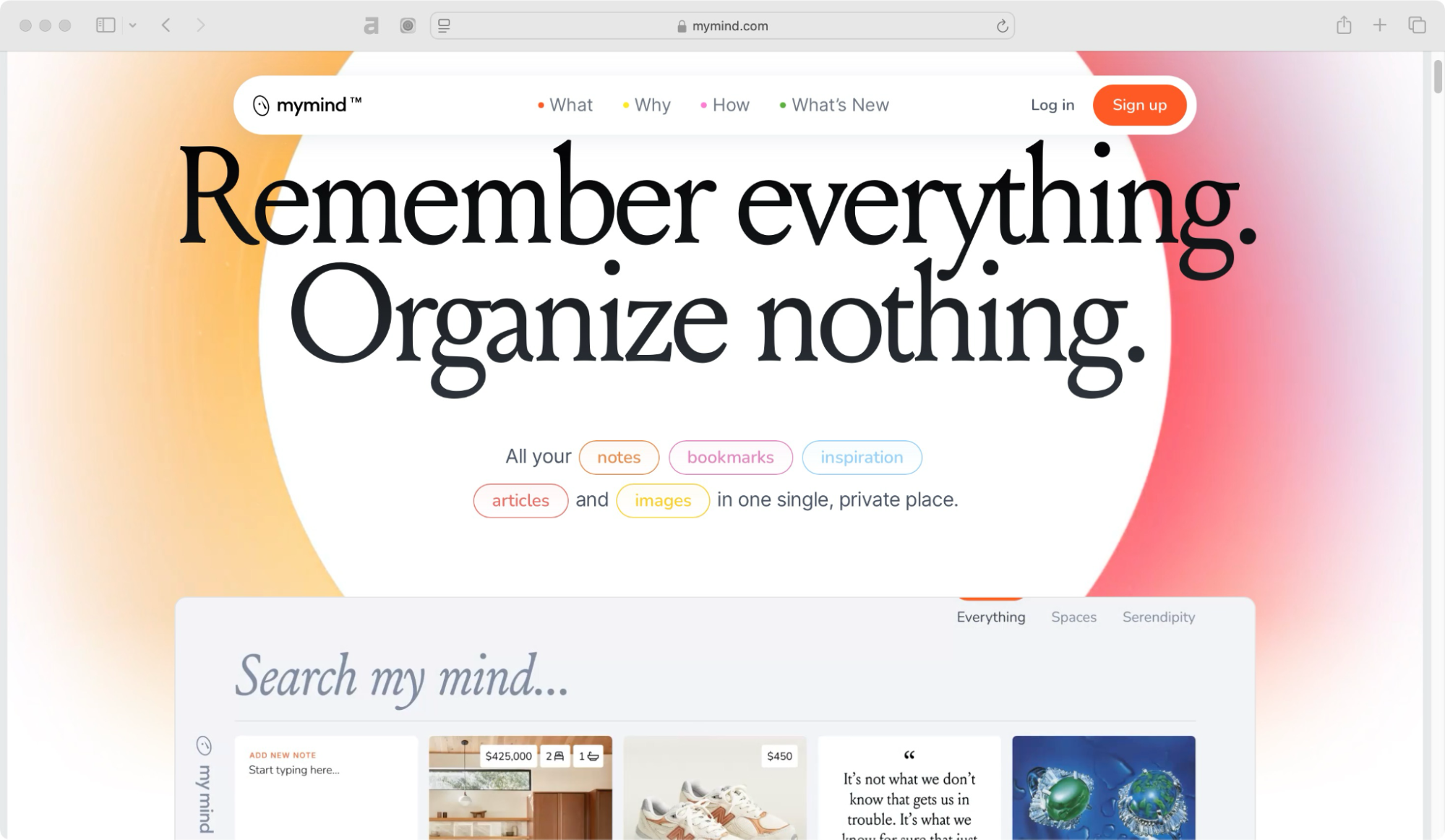
Ever thought that there would be a place where you are able to manage and store all your thoughts?
Me always! Then I found MyMind.
Unlike traditional note-taking apps, MyMind is built differently—it is more like a personal assistant that quietly organizes everything for you. No folders, no manual tagging, no stress. Just drop in your ideas, images, links, and notes, and its AI does the rest.
It automatically categorizes your content and makes everything easily searchable when you need it. Search by color, keyword, brand, or date—whatever you think of first.
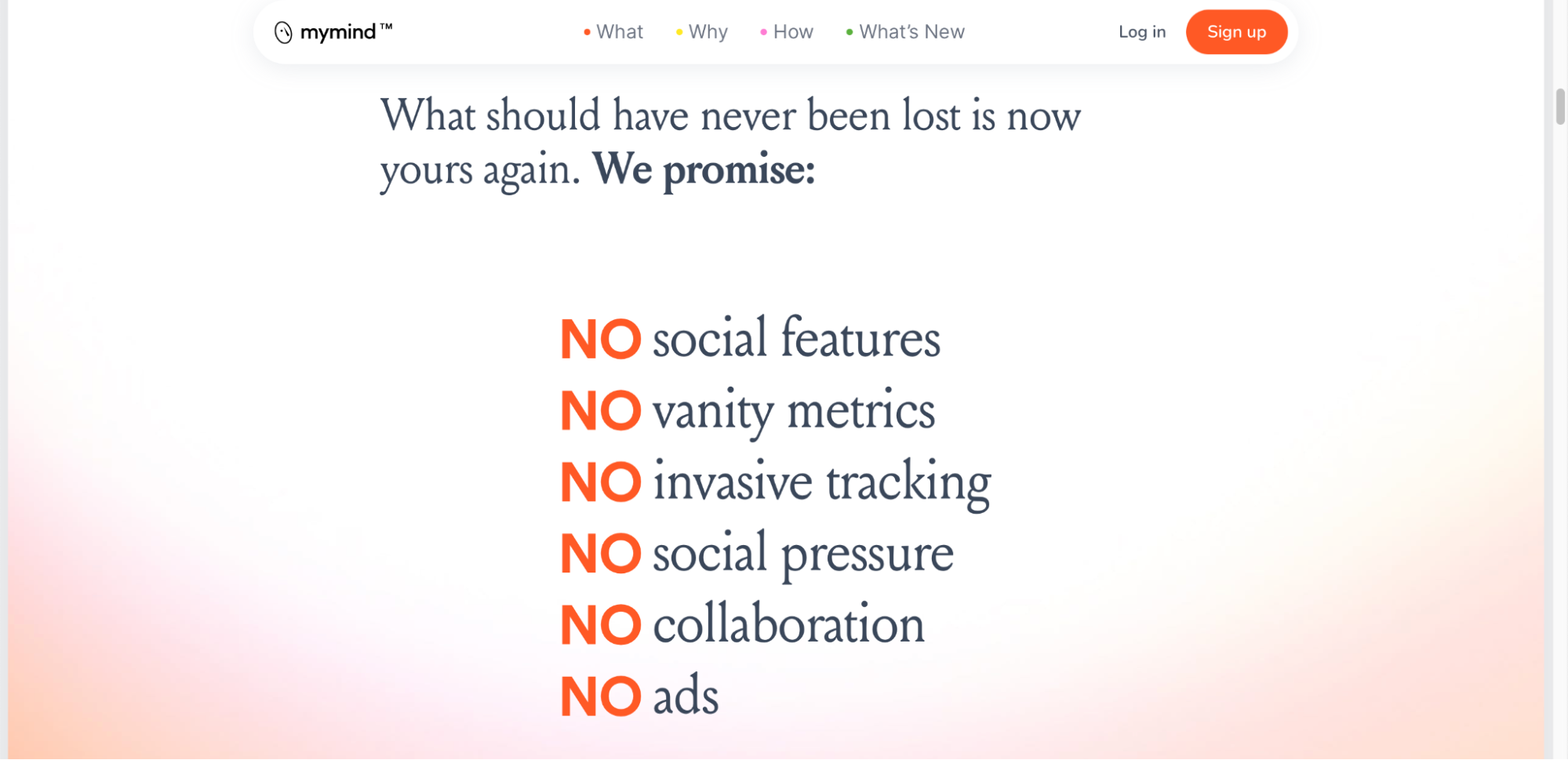
What I love about MyMind is that it is completely private—there are no social features, no data tracking, and no pressure to structure your thoughts in a specific way. It is designed to feel natural, like an extension of your brain.
What I think about MyMind
If you are someone who loves customizing workspaces, adding integrations, or collaborating with teams, this might not be the best fit. But if you are looking for a beautifully simple, distraction-free space to store and recall your thoughts effortlessly, MyMind is worth trying.
MyMind pricing 💰
- Free tier – Not available
- Student of life – USD 6.99/month
- Mastermind – USD 12.99/month
- Newton – USD 299/year
How MyMind compares to Mem AI?
| Feature | MyMind | Mem AI |
| Ease of use | Very simple, no folders or tags needed | AI-driven, minimal effort required |
| Organization | Automatically organizes images, text, and links | AI-powered, finds and connects notes automatically |
| AI features | AI recognizes and categorizes content visually | AI-driven search, summarization, and content generation |
| Collaboration | Primarily for personal use, no team collaboration | Supports collaboration, but not as advanced as Notion |
| Integrations | Limited integrations, mainly for saving content | Limited integrations, focused on AI-powered workflows |
| Customization | No manual organization, AI sorts everything | AI-based but allows some structuring with collections |
| Offline access | Limited offline access | Limited offline access |
| Pricing | Starts at USD 6.99/month | Starts at USD 8.33/month |
| Best for | Visual thinkers, saving and organizing ideas effortlessly | AI-powered note-taking, searching, and content generation |
MyMind reviews ⭐
- 3.8 stars out of 5 (22 reviews) on App Store
- 3.6 stars out of 5 (284 reviews) on Google Play
Evernote
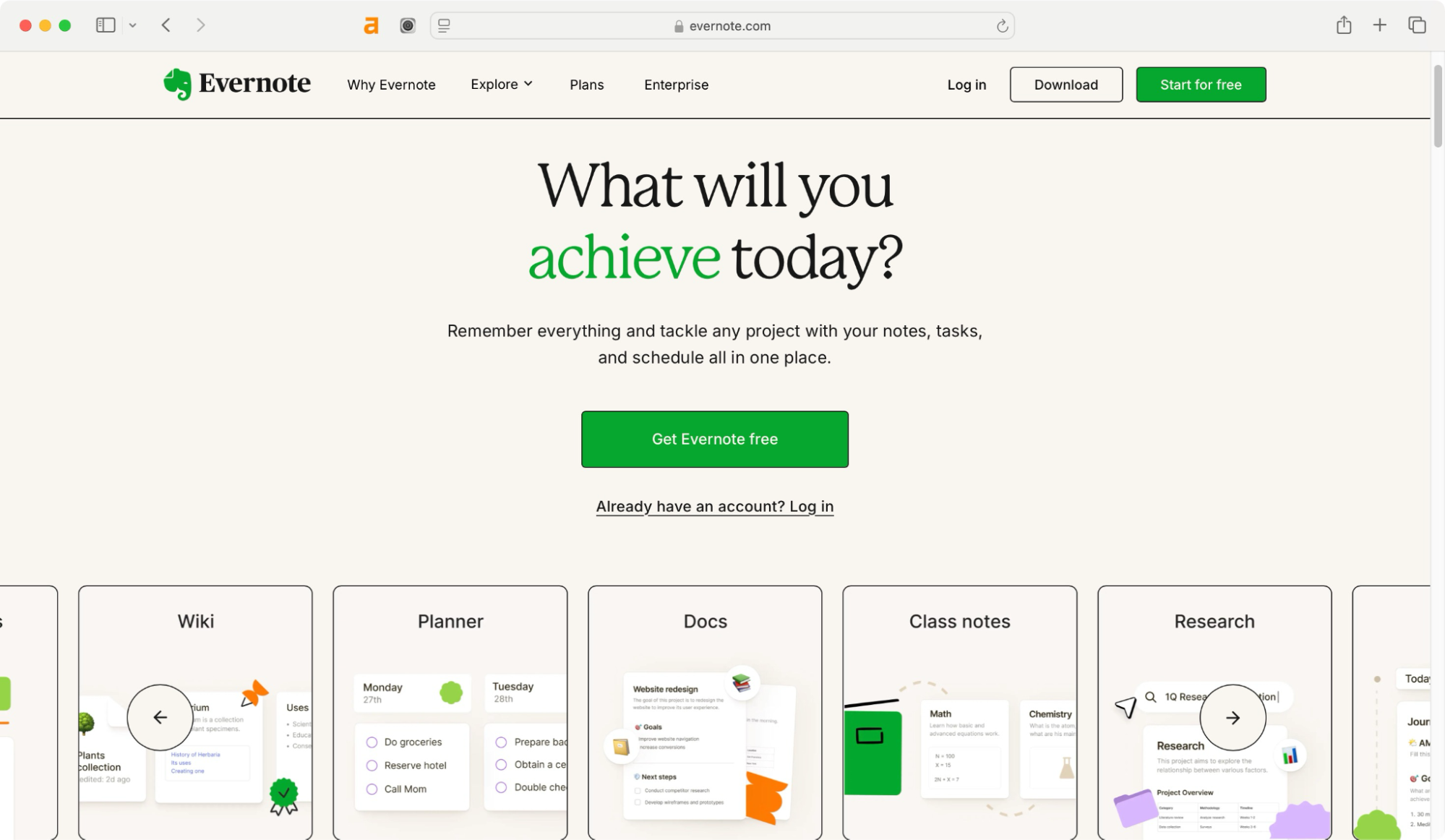
Evernote has been around for years, and there is a reason it is still popular. It is reliable, easy to use, and comes with powerful AI-assisted search features. Whether you’re capturing ideas, planning projects, or storing important documents, Evernote brings all your notes, to-do lists, and schedules together in one place.
With its automatic syncing, you can access all your information from your laptop, tablet, or phone anytime, anywhere, without missing a beat. And when you need to find something, its smart search features help you track down notes, documents, and even text inside PDFs in seconds.
Whether you’re working solo or collaborating with a team, Evernote adapts to the way you work, making you productive and more efficient. Trusted by top brands like Forbes, Inc., and The Verge, Evernote is built to help you organize, remember, and get things done.
What I think about Evernote
Many of its best features are locked behind a paid plan, and some users feel it has not evolved as much as newer tools. But if you want something familiar and well-tested, Evernote is still a strong contender.
Evernote pricing 💰
- Personal – USD 3.83 per month (billed yearly) with 10 GB monthly uploads.
- Professional – USD 4.99 per month (billed yearly) with 20 GB monthly uploads.
- Team – USD 6.70 per month (billed yearly) with 20 GB monthly uploads + 2 GB per user.
- Enterprise – Enterprise has custom solutions and support to meet your unique organizational and security needs.
How Evernote compares to Mem AI?
| Feature | Evernote | Mem AI |
| Ease of use | Simple, but requires manual organization | AI-driven, minimal effort required |
| Organization | Uses notebooks, tags, and manual sorting | AI automatically finds and connects notes |
| AI features | AI search and note suggestions | AI-powered search, summarization, and content creation |
| Collaboration | Allows note sharing and team collaboration | Supports collaboration but is more AI-focused |
| Integrations | Connects with apps like Google Drive, Slack, and Outlook | Limited integrations, focused on AI-powered workflows |
| Customization | Highly customizable with manual structuring | AI-based, with optional structured collections |
| Offline access | Available on all devices | Limited offline access |
| Pricing | Free plan available and paid plans start at USD 3.83/month | Starts at USD 8.33/month |
| Best for | Professionals who need structured note organization | AI-powered note-taking, searching, and content generation |
Evernote reviews ⭐
- 4.4 stars out of 5 (2013 reviews) on G2
- 4.4 stars out of 5 (8276 reviews) on Capterra
OneNote

Next in our list is OneNote. Developed by one of the most popular operating systems, Microsoft, OneNote is a digital note-taking app designed to help you capture ideas, organize information, and keep everything within reach.
Whether you’re a student writing down your lecture notes, a professional managing projects, or someone who simply loves keeping things structured, OneNote gives you the flexibility to work your way.

It provides a freeform design that feels like a digital notebook where you can type, draw, or even handwrite notes with a stylus. You can also create multiple notebooks, divide them into sections, and fill pages with anything from text and images to audio recordings and web clippings.
Everything is automatically saved and synced across your devices, so you never have to worry about losing important information. Because OneNote’s powerful search function helps you locate information quickly, even inside handwritten notes or images.
What I think about OneNote
Its interface can feel a bit clunky compared to newer apps, and it does not have the same AI-powered features that some other tools offer. But if you are looking for a solid, no-cost alternative, it is definitely worth trying.
OneNote pricing 💰
- Free – Full access to OneNote with 5GB of OneDrive storage.
- Microsoft 365 Personal – USD 7.93 per month (billed yearly) with 1TB of OneDrive storage.
- Microsoft 365 Family – USD 9.42 per month (billed yearly) with 1TB storage per user (up to 6 users).
- Microsoft 365 Business – Its business plan has four different pricing plans.
- Basic – USD 1.67 per user per month billed yearly.
- Standard – USD 8.86 per user per month billed yearly.
- Premium – USD 21.06 per user per month billed yearly.
- Apps for business – USD 7.88 per user per month billed yearly.
How OneNote compares to Mem AI?
| Feature | OneNote | Mem AI |
| Ease of use | Easy to use with a notebook-style layout | AI-driven, requires minimal effort |
| Organization | Uses notebooks, sections, and pages | AI automatically connects and organizes notes |
| AI features | Basic handwriting recognition and search | AI-powered search, summarization, and content creation |
| Collaboration | Allows real-time collaboration and sharing | Supports collaboration but is more AI-focused |
| Integrations | Deep integration with Microsoft 365 apps | Limited integrations, focused on AI-powered workflows |
| Customization | Highly customizable with manual organization | AI-based, with optional structured collections |
| Offline access | Fully available offline | Limited offline access |
| Pricing | Free with Microsoft account; included in Microsoft 365 plans | Starts at USD 8.33/month |
| Best for | Users in the Microsoft ecosystem who prefer structured notes | AI-powered note-taking, searching, and content generation |
OneNote reviews ⭐
- 4.5 stars out of 5 (1837 reviews) on G2
- 4.6 stars out of 5 (1826 reviews) on Capterra
Roam Research

As the name suggests, Roam Research is all about exploring your thoughts and making meaningful connections between ideas.
If you are the kind of person who likes to note down random ideas and then connect them later, Roam Research is designed just for that. It is built for networked thinking that allows you to link your thoughts easily. And it gives you a picture of how your different ideas relate.
Whether you’re brainstorming, researching, or writing, Roam makes it easy to build a web of insights that grows with you. Every note can link to another, helping you discover patterns and uncover insights you might have missed. It’s perfect for researchers, writers, and deep thinkers who are looking for a tool that helps them think better.
What I think about Roam Research
Roam Research is a good alternative to Mem AI. But Roam is not the cheapest option out there, and its interface takes some getting used to. However, if you love the idea of creating a web of interconnected notes, Roam Research is hard to beat.
Roam Research pricing 💰
- Pro – USD 180 per year which means USD 15 per month.
- Believer – USD 500 for 5 years which means USD 8.33 per month.
How Roam Research compares to Mem AI?
| Feature | Roam Research | Mem AI |
| Ease of use | Requires learning curve, uses bidirectional linking | AI-driven, minimal effort required |
| Organization | Networked note-taking with links and backlinks | AI automatically finds and connects notes |
| AI features | Graph-based AI-powered note connections | AI-powered search, summarization, and content creation |
| Collaboration | Supports real-time collaboration | Supports collaboration but is more AI-driven |
| Integrations | Limited third-party integrations | Limited integrations, focused on AI workflows |
| Customization | Highly flexible with manual structuring | AI-based, with optional structured collections |
| Offline access | Limited offline access (requires Roam Depot) | Limited offline access |
| Pricing | Starts at USD 15/month | Starts at USD 8.33/month |
| Best for | Researchers, writers, and knowledge workers who prefer linked notes | AI-powered note-taking, searching, and content generation |
Roam Research reviews ⭐
- 2.5 stars out of 5 (167 reviews) on App Store
- 3.0 stars out of 5 (186 reviews) on Google Play
Tana

Tana is one of the newer players in the space, but it is quickly gaining attention for its AI-first approach. Designed to help you think, organize, and work more efficiently, Tana lets you stay on top of
everything. And it goes beyond traditional note-taking apps by integrating powerful AI-driven features that adapt to the way you work.
Used by forward-thinking professionals in leading tech teams like Airbnb, Amazon, Apple, Tesla, and Nike, Tana provides a structured and flexible system to keep everything connected.
One of the standout features of Tana is it instantly turns your notes into tasks, projects, or strategy docs. Moreover, Tana has an ability to create dynamic, interlinked notes, making it easy for you to see connections between different pieces of information.
Unlike static documents, Tana allows you to build a network of ideas to help you navigate through your thoughts. It also automates repetitive tasks, categorizes information intelligently, and offers amazing search capabilities that make finding what you need faster than ever.
To summarize it.
Tana is built for everyone—whether you’re a content creator, designer, engineer, manager, or part of a startup. It helps you stay organized with smart features like Supertags, Knowledge Graph, and Search Nodes.
You can manage tasks easily with tools like the Daily Page, Outline Editor, and Tana for Meetings. It’s available on desktop and mobile, with options like voice memos and publishing for better teamwork. If you’re new to Tana or want to learn more, the learning page has easy guides and tutorials to help you get started.

What I think about Tana
Since it is still relatively new, not everyone has access to it yet, and its feature set is still growing. But if you are looking for something fresh and innovative, Tana is worth keeping an eye on.
Tana pricing 💰
- Free – Basic features available at no cost.
- Plus – USD 8 per month, billed annually.
- Pro – USD 14 per month, billed annually.
How Tana compares to Mem AI?
| Feature | Tana | Mem AI |
| Ease of use | Takes time to learn, works like a database | Simple to use, AI organizes notes for you |
| Organization | Uses structured notes with links and tags | AI automatically connects related notes |
| AI features | AI helps with tagging and structuring notes | AI finds notes, summarizes, and creates content |
| Collaboration | Teams can work together in shared spaces | Supports teamwork, but AI is the main focus |
| Integrations | Few integrations, still developing | Few integrations, focused on AI workflows |
| Customization | Highly customizable, lets you organize your way | AI organizes for you, but you can add structure |
| Offline access | No full offline support yet | Limited offline access |
| Pricing | Free plan available and paid plan starts at USD 8/month. | Starts at USD 8.33/month |
| Best for | People who like structured and organized notes | People who want AI to handle note-taking |
Tana reviews ⭐
- 3.0 stars out of 5 (2 reviews) on App Store
Which Mem AI alternative have you decided to choose?
At this point, you’ve seen a variety of options, each with its own strengths. The question now is—which one feels like the right fit for you?
If you’re someone who loves flexibility, maybe Notion is calling your name. If privacy and structured thinking matter most, Obsidian might be your go-to. Or perhaps you’re drawn to Roam Research for its interconnected approach, Evernote for its familiarity, or Tana for its fresh AI-driven features.
Whichever way you go, the best tool is the one that easily fits into your workflow and actually makes your life easier. The good news? Many of these tools offer free plans, so you can test them out before making a final decision.
So, what’s your pick? Give one a try and see how it transforms the way you take notes, organize ideas, and boost your productivity.
For more such exciting AI tools and alternatives, don’t forget to visit Unrola—AI App Store.
