


If you’ve been using Submagic for your social media captions and subtitles, you already know how helpful AI-powered tools can be. They save time, make your content look polished, and help you engage with your audience better.
But is Submagic the best option for everyone?
Let’s take a closer look.
What is Submagic?
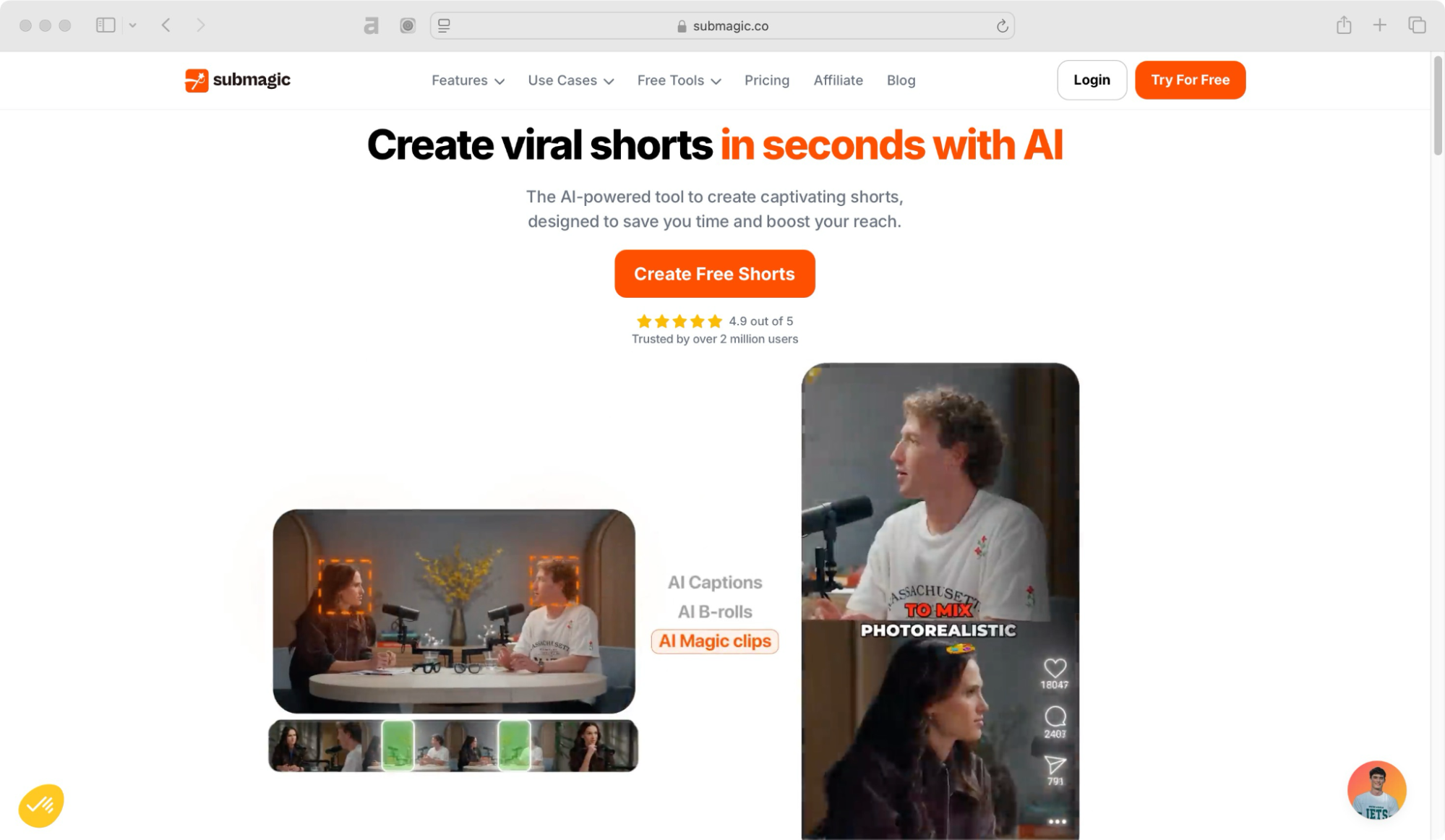
Submagic is an AI-powered video editing and captioning tool. It helps you auto-generate captions, cut silences, remove filler words, transition, and automatically transcribe videos into animated subtitles.
It’s popular with content creators, marketers, and influencers who want to add fun text animations and edit short videos easily without spending hours on manual editing.
Submagic pricing 💰
- Starter (USD 12/month) – 15 videos/month (2 min max). No watermark, AI captions, free b-rolls, text-based trimming, 1080p export.
- Professional (USD 23/month) – 40 videos/month (5 min max). All in Starter + animated captions, custom styles, premium b-rolls, AI titles, better audio.
- Business (USD 41/month) – Unlimited videos (30 min max). All in Professional + 4K export, unlimited templates, team access, brand assets, priority support.
➕ Magic Clips (USD 12/month) – Get unlimited AI clips from long videos.
Submagic reviews ⭐
- 4.8 out of 5 stars (78 reviews) on G2
- 5.0 out of 5 stars (1 review) on Capterra
User reviews and common issues
While many people use Submagic, it also has some drawbacks. Many users on Reddit and other platforms have pointed out certain limitations:
Caption accuracy
If your content includes accents, slang, or fast speech, you might notice that Submagic’s captions aren’t always spot-on. Many users find themselves spending extra time fixing errors.
Customization limitations
While Submagic offers animated captions, it doesn’t give you complete control over how they look. If you like to fine-tune every detail, this could be a drawback.
Video syncing problems
Some users have reported that captions don’t always sync perfectly with video playback, making your content look unprofessional.
Trial limitations
The free trial is limited, making it difficult to fully explore the tool before deciding whether to subscribe.
Limited styling options:
Many users find the available animation styles and customization features insufficient for professional-looking subtitles, especially when compared to other tools.
Technical glitches
Issues like rendering errors, sudden video cuts, and occasional audio pops during export are frequently reported.
Customer support concerns
Some users express frustration with slow response times and inadequate assistance from Submagic’s customer support team.
Is Submagic the right fit for everyone?
If any of these issues sound familiar, you might be wondering if there’s a better alternative out there. The good news is there are plenty of AI-powered tools that offer similar (or even better) features, with more flexibility and fewer headaches.
Let’s take a look at some of the best Submagic alternatives that can help you grow your social media presence.
What to consider when choosing a Submagic alternative
Before jumping into the list, here are a few things to keep in mind when choosing the right tool:
- Do you need just captions and subtitles, or are you looking for a tool that also helps with post ideas and content creation?
- How much customization do you need? Some tools offer basic presets, while others let you fine-tune every detail.
- What’s your budget? Some alternatives offer free plans (no credit card tricks), while others require a subscription.
- Which social media platforms do you use the most? Some alternatives work better for Instagram reels, others for YouTube, and some are all-rounders.
Now, let’s dive into the best Submagic alternatives.
7 best Submagic alternatives and competitors for social media growth
Whether you need more customization, better accuracy, or additional features, these Submagic alternatives can help you step up your content game. Let’s explore the best options available.
Kapwing
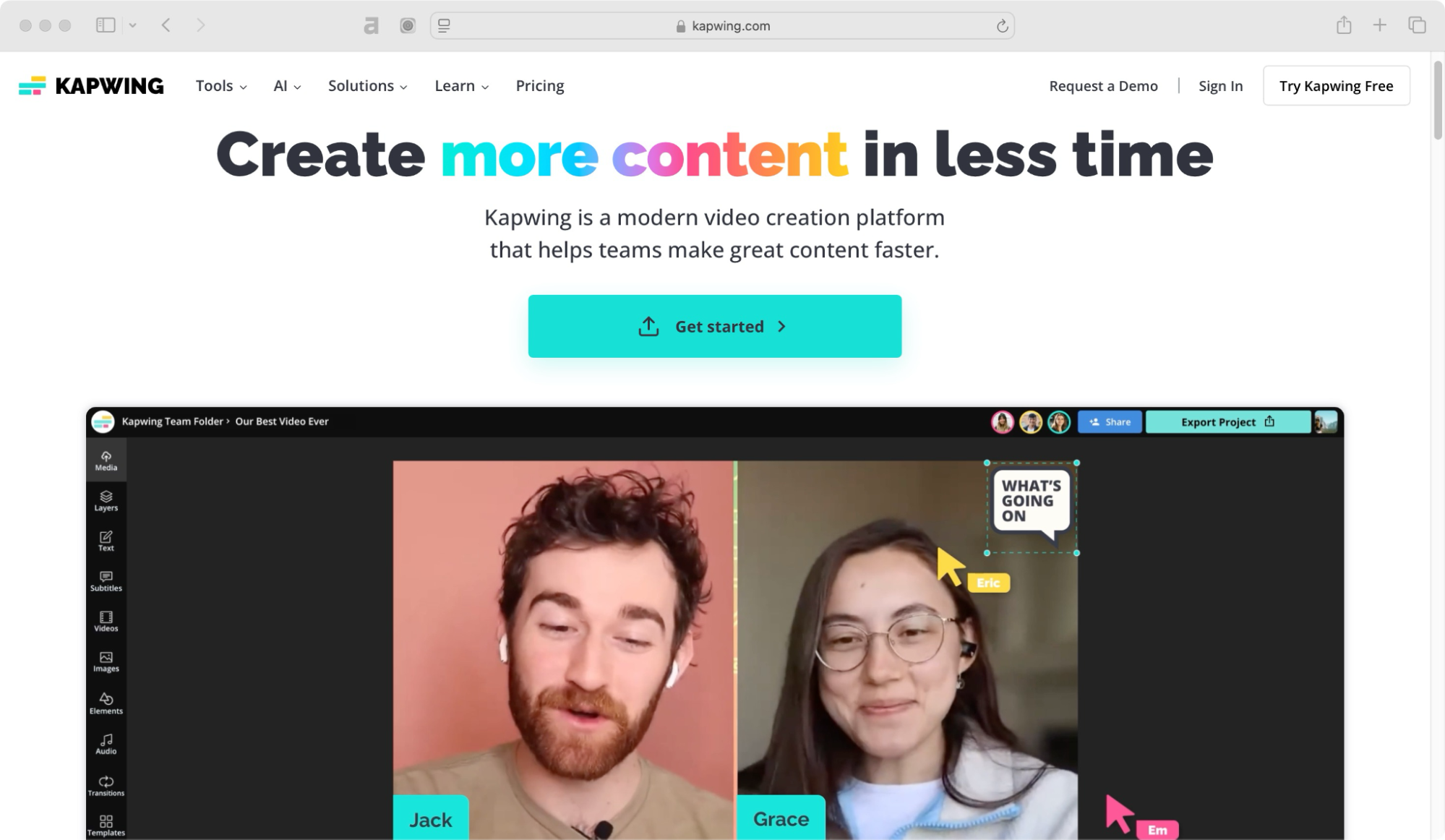
If you’re looking for an all-in-one video editor that can help you produce quality content in less time, Kapwing is a solid choice. With a bunch of AI-powered tools, templates, and real-time collaboration features, Kapwing streamlines the entire video editing process.
Whether you’re a seasoned editor or just getting started, Kapwing takes the hassle out of video creation. It automates tedious tasks, keeps your content on-brand, and lets you focus on storytelling instead of struggling with complex tools.
Trusted by top brands like Google, Dyson, Facebook, and Spotify—as well as millions of creators worldwide—Kapwing is more than just a video editor; it’s a creative powerhouse that empowers you to bring your ideas to life.
Kapwing pricing 💰
- Free (USD 0/month) – Unlimited exports with watermark, 4-min videos, 10-min auto-subtitles, 3-min standard Text-to-Speech, 720p quality.
- Pro (USD 16/month, billed yearly) – No watermark, 120-min videos, 300-min auto-subtitles & translation, 80-min premium Text-to-Speech, AI editing (30 uses), 4K quality, unlimited storage, team collaboration.
- Business (USD 50/month, billed yearly) – All in Pro + 900-min auto-subtitles & translation, 200-min premium Text-to-Speech, 30-min lip-sync, AI editing (75 uses), voice cloning (2 voices).
- Enterprise (Custom Pricing) – All in Business + custom AI usage, 60-min lip-sync, 4 voice clones, priority support, SSO, dedicated manager.
Kapwing vs Submagic ⚖️
| Feature | Kapwing | Submagic |
| Best for | General video editing, text animations, memes, subtitles, and AI tools | AI-powered auto-subtitling and short-form content editing |
| AI subtitles | ✅ Yes, with 90% accuracy and customization options | ✅ Yes, with 98.9% accuracy |
| Animated subtitles | ✅ Yes, with multiple effects | ✅ Yes, optimized for engaging captions |
| Ease of use | Beginner-friendly drag-and-drop interface | Simple, AI-driven automation |
| Templates & presets | ✅ Yes, a wide range of templates | ❌ No, focused on auto-generated captions |
| Collaboration | ✅ Yes, team collaboration features | ❌ No, primarily a solo tool |
| Free plan | ✅ Yes, with limitations | ✅ Yes, with limitations |
| AI description | ❌ No | ✅ Yes |
| Supported caption languages | 70+ | 50 |
| Background removal | ✅ Yes | ❌ No |
| Pricing | Paid plans start at $16/month | Paid plans start at $12/month |
| Best for social media creators? | ✅ Yes, with versatile editing tools | ✅ Yes, especially for captions & subtitles |
Kapwing reviews ⭐
- 4.1 out of 5 stars (37 reviews) on G2
- 4.4 out of 5 stars (207 reviews) on Capterra
VEED.io
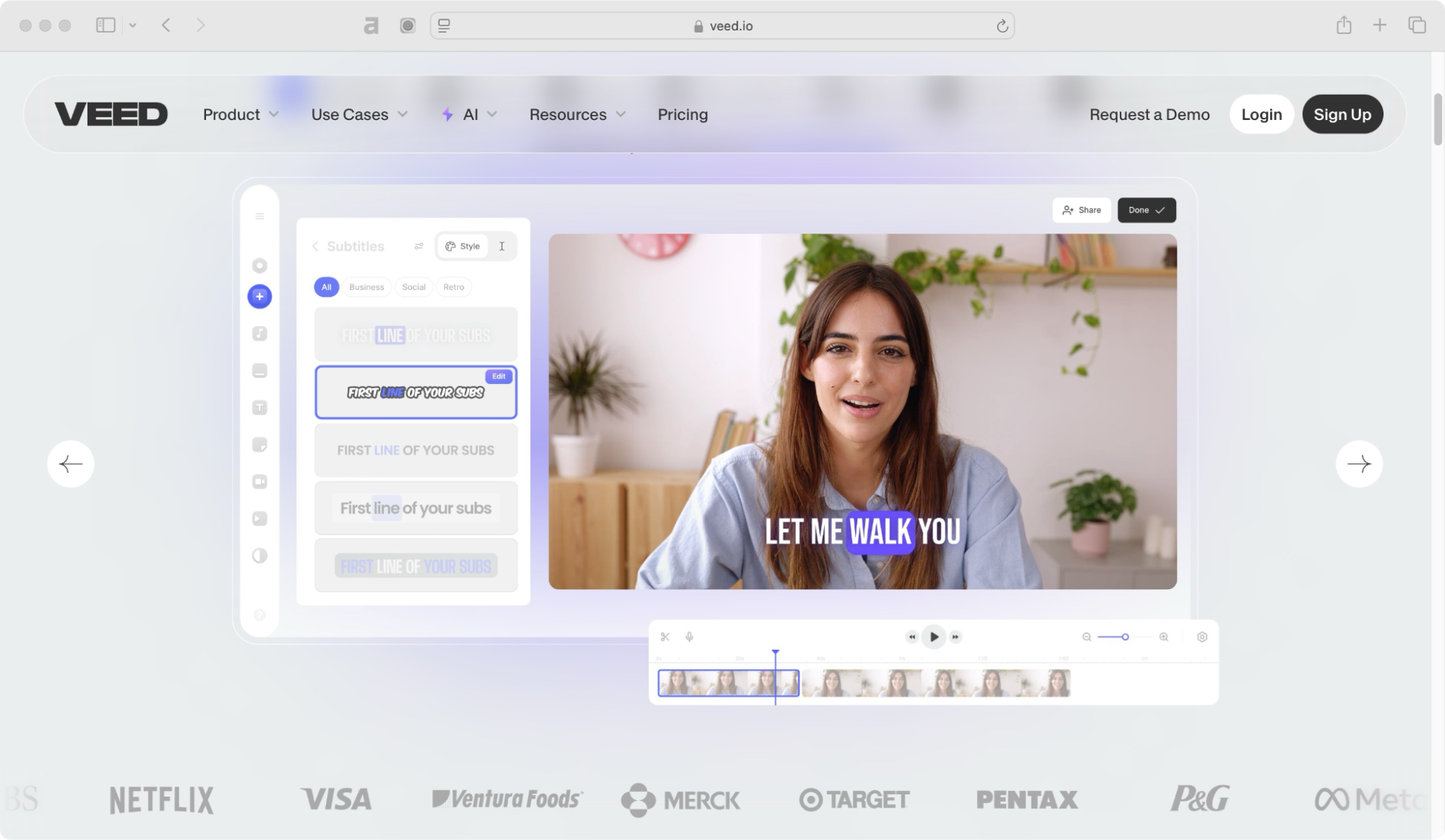
VEED.io is another strong alternative to Submagic. Whether you’re a solo creator, part of a marketing team, or handling corporate training, this AI-powered video platform takes the hassle out of editing. And the best part? You don’t need expensive software or complicated workflows. Everything runs smoothly in your browser.
From auto subtitles and AI avatars to text-to-video and eye contact correction, VEED.io packs everything you need into one powerful suite. You can also collaborate with your team using shared assets, real-time feedback, and on-brand templates.
Need to scale content? Their AI tools like Magic Cut and AI voice cloning help you produce more videos in less time. Also, it can translate generated captions into multiple languages which is perfect if you’re reaching a global audience.
Whether you’re making social media clips, training videos, or internal presentations, VEED gives you the tools to create high-quality content that looks professionally produced. No complicated setups, no tech headaches—just pure creativity.
VEED.io pricing 💰
- Lite (USD 5.70/month per editor, billed yearly) – No watermark, 144 hrs auto-subtitles/year, 1080p exports, some stock audio/video, unlimited uploads, simple brand kit, auto-resize for social media.
- Pro (USD 13.71 /month per editor, billed yearly) – All in Lite + AI tools, 50+ language translation, 4K exports, full stock library, subtitle downloads, full brand kit, AI avatars (4 hrs/year), iOS captioning.
- Enterprise (custom pricing) – All in Pro + custom templates, team & data management, video review mode, custom AI avatars, multiple brand kits, advanced security (SSO), priority support, video analytics.
VEED.io vs Submagic ⚖️
| Feature | VEED.io | Submagic |
| Best for | AI-powered video editing, subtitles, text animations, and branding tools | AI-powered auto-subtitling and short-form content editing |
| AI subtitles | ✅ Yes, with high accuracy and multiple language support | ✅ Yes, with 98.9% accuracy |
| Animated subtitles | ✅ Yes, with customizable effects and styles | ✅ Yes, optimized for engaging captions |
| Ease of use | Beginner-friendly interface with AI automation | Simple, AI-driven automation |
| Templates & presets | ✅ Yes, a wide range of templates | ❌ No, focused on auto-generated captions |
| Collaboration | ✅ Yes, team collaboration features | ❌ No, primarily a solo tool |
| Free plan | ✅ Yes, with limitations | ✅ Yes, with limitations |
| AI description | ✅ Yes, AI-generated subtitles and voiceovers | ✅ Yes |
| Supported caption languages | 100+ | 50 |
| Background removal | ✅ Yes, AI-powered | ❌ No |
| Pricing | Paid plans start at $5.70/month | Paid plans start at $12/month |
| Best for social media creators? | ✅ Yes, with full video editing tools and branding features | ✅ Yes, especially for captions & subtitles |
VEED.io reviews ⭐
- 4.6 out of 5 stars (1031 reviews) on G2
- 3.4 out of 5 stars (52 reviews) on Capterra
Zubtitle
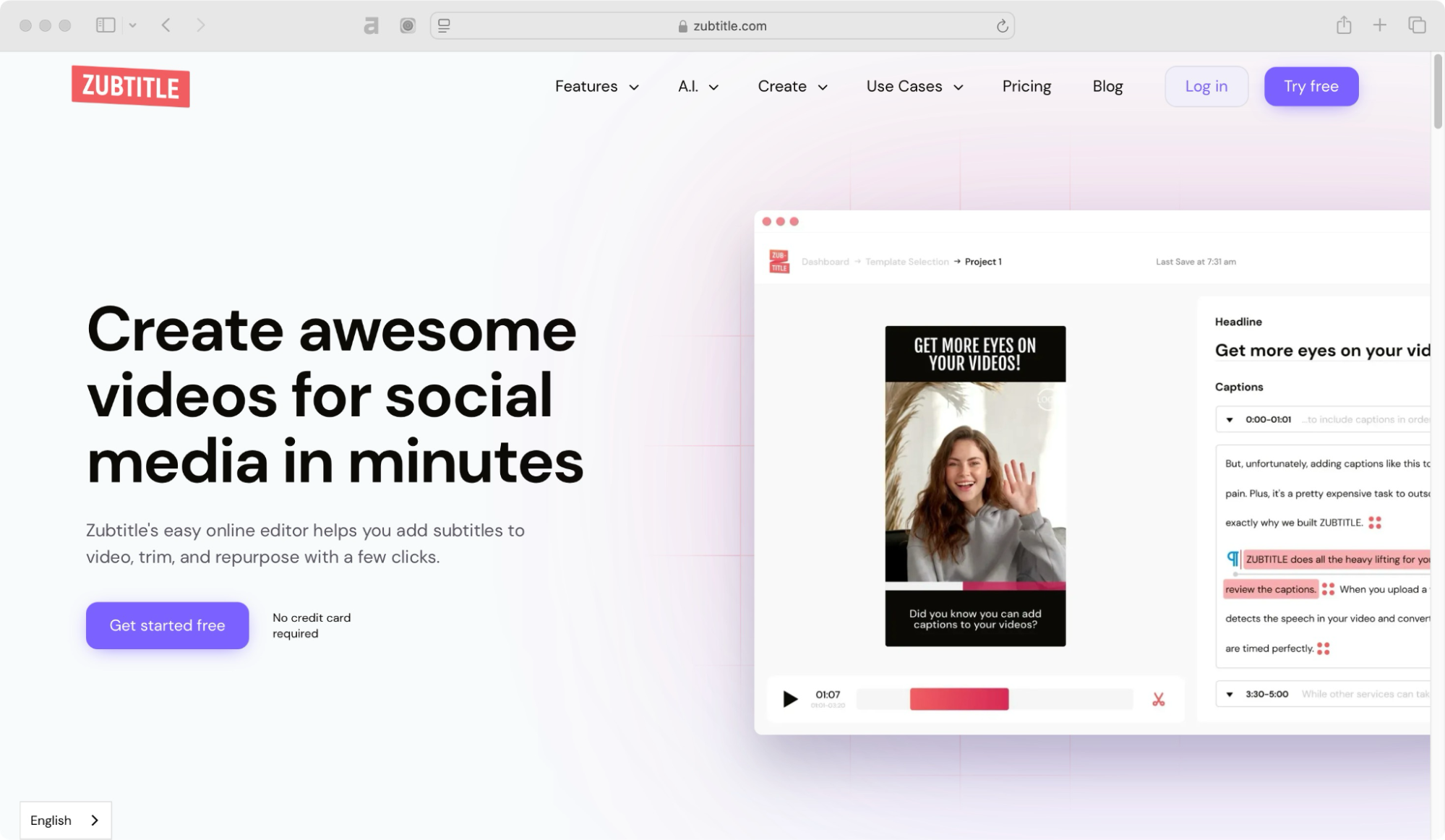
Zubtitle is designed specifically for social media creators. It adds automatic captions, lets you highlight keywords, and even helps with text animations. If you want your captions to be as engaging as your visuals, this tool is worth checking out.
Zubtitle makes video editing simple and quick. With most people watching videos on mute, adding captions helps grab attention and keep viewers engaged. The tool automatically transcribes speech into subtitles, saving you time and effort.
You can also customize the text with different fonts, colors, and styles to match your brand. Plus, Zubtitle lets you trim and resize videos for any social media platform, so your content always looks perfect.
Whether you’re a creator, marketer, or business owner, Zubtitle helps you make professional-looking videos with just a few clicks. Try it for free and see how easy it is!
Zubtitle pricing 💰
- Bootstrapper (USD 0/month, free forever) – All video editor features, 2 videos/month, Zubtitle watermark, 720p resolution.
- Guru (USD 19/month or USD 190/year) – All in Bootstrapper + 10 videos/month, no watermark, 4K resolution, premium support.
- Agency (USD 49/month or USD 490/year) – All in Guru + 30 videos/month, no watermark, 4K resolution, premium support.
- Custom Pricing – Create a plan based on your needs with Zubtitle’s pricing calculator.
Zubtitle vs Submagic ⚖️
| Feature | Zubtitle | Submagic |
| Best for | AI-powered subtitling, text overlays, and social media video formatting | AI-powered auto-subtitling and short-form content editing |
| AI subtitles | ✅ Yes, with high accuracy and full customization | ✅ Yes, with 98.9% accuracy |
| Animated subtitles | ✅ Yes, with multiple fonts, colors, and styles | ✅ Yes, optimized for engaging captions |
| Ease of use | Simple and intuitive editor | AI-driven automation for quick edits |
| Templates & presets | ✅ Yes, pre-built templates for social media videos | ❌ No, focused on auto-generated captions |
| Collaboration | ❌ No, primarily a solo tool | ❌ No, primarily a solo tool |
| Free plan | ❌ No, only a free trial available | ✅ Yes, with limitations |
| AI description | ✅Yes, partially | ✅ Yes |
| Supported caption languages | 60+ | 50 |
| Background removal | ❌ No | ❌ No |
| Pricing | Paid plans start at $19/month | Paid plans start at $12/month |
| Best for social media creators? | ✅ Yes, great for repurposing videos with subtitles | ✅ Yes, especially for captions & subtitles |
Zubtitle reviews ⭐
- 4.5 out of 5 stars (3 reviews) on G2
- 4.8 out of 5 stars (10 reviews) on Capterra
Descript
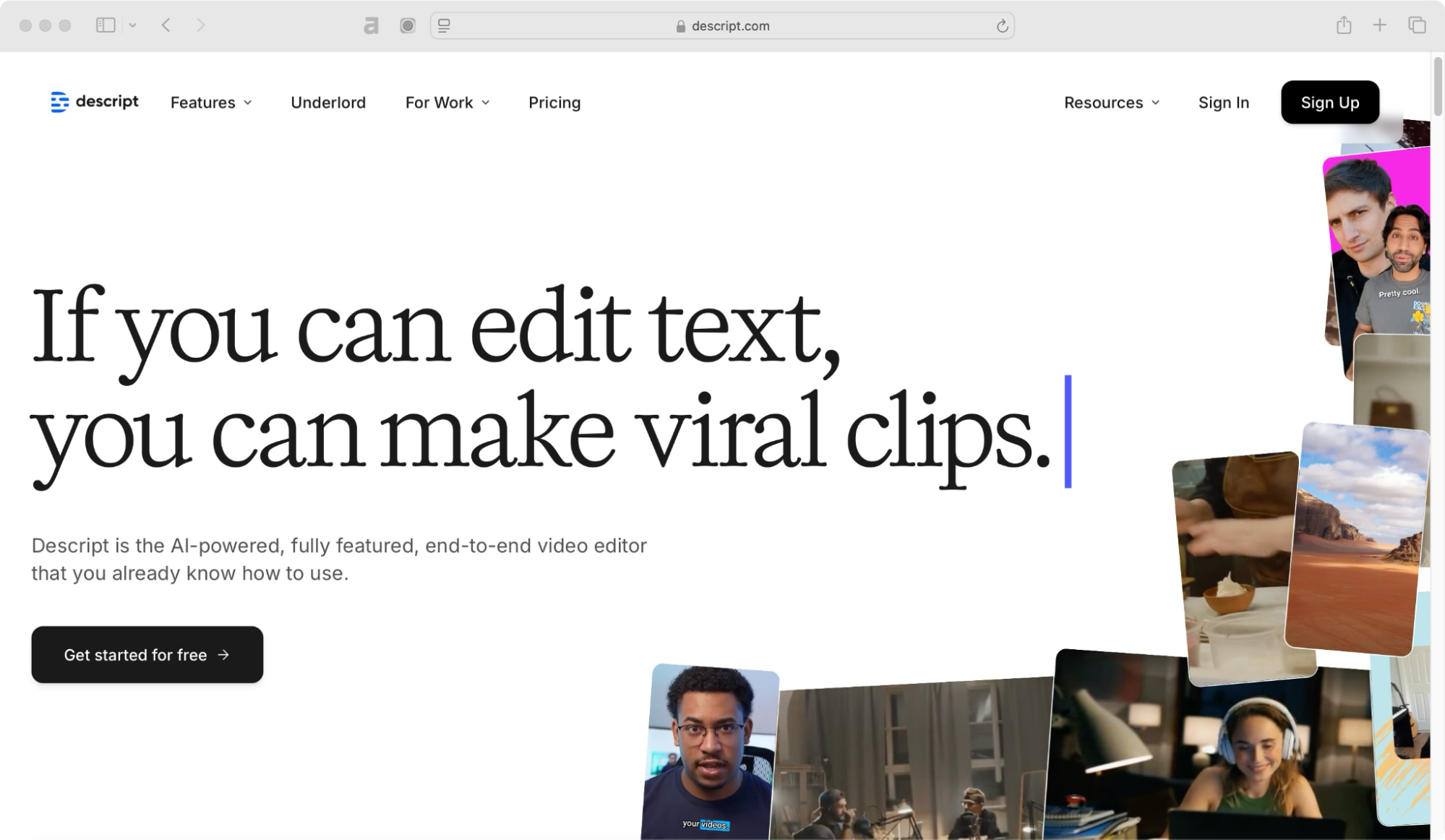
Descript is a game-changer for those who work with both audio and video. Not only does it generate captions, but it also lets you edit your video by editing the transcript. If you say “uh” too much, it can even remove filler words automatically.
This AI-powered tool makes video editing as simple as editing a document. You can cut, copy, and paste sections of your video just like text, generate speech in your own voice, and even enhance audio quality with AI.
Whether you’re creating content for YouTube, podcasts, or social media, Descript streamlines the process with powerful features like eye contact correction, green screen effects, and instant transcription.
Used by top companies like Amazon, Apple, and Spotify, Descript is perfect for creators, teams, and businesses looking to produce high-quality content quickly and efficiently.
Descript pricing 💰
- Free (USD 0/month) – Basic text-based editing & AI tools.
- Hobbyist (USD 12/month billed annually) – 10 transcription hours, 1080p exports, watermark-free, basic AI tools, 30 min AI speech.
- Creator (USD 24/month billed annually) – 30 transcription hours, 4K exports, unlimited AI tools, 2 hrs AI speech, 30 min dubbing, stock library access.
Business (USD 40/month billed annually) – 40 transcription hours, collaboration seats, full AI suite, 5 hrs AI speech, 2 hrs dubbing, priority support. - Enterprise (custom pricing) – Tailored AI solutions, security, and team management.
Descript vs Submagic ⚖️
| Feature | Descript | Submagic |
| Best for | AI-powered video and podcast editing with transcription and screen recording | AI-powered auto-subtitling and short-form content editing |
| AI subtitles | ✅ Yes, with high accuracy and full customization | ✅ Yes, with 98.9% accuracy |
| Animated subtitles | ✅ Yes, with customizable styles | ✅ Yes, optimized for engaging captions |
| Ease of use | Advanced but user-friendly with timeline editing | Simple, AI-driven automation |
| Templates & presets | ✅ Yes, includes video and podcast editing templates | ❌ No, focused on auto-generated captions |
| Collaboration | ✅ Yes, team collaboration features | ❌ No, primarily a solo tool |
| Free plan | ✅ Yes, with limitations | ✅ Yes, with limitations |
| AI description | ✅ Yes, AI-powered transcription and editing | ✅ Yes |
| Supported caption languages | 20+ | 50 |
| Background removal | ✅ Yes, AI-powered | ❌ No |
| Pricing | Paid plans start at $12/month | Paid plans start at $12/month |
| Best for social media creators? | ✅ Yes, especially for video and podcast creators | ✅ Yes, especially for captions & subtitles |
Descript reviews ⭐
- 4.6 out of 5 stars (769 reviews) on G2
- 4.8 out of 5 stars (171 reviews) on Capterra
Capte

Capte is a lesser-known gem that offers clean, professional subtitles with branding customization. It’s ideal for businesses and creators who want to keep their captions aligned with their brand style.
Beyond subtitles, Capte’s AI-powered tools help you streamline content creation by automatically generating transcripts, translating videos into multiple languages, and creating short, engaging clips from longer content.
Its intuitive editor allows you to personalize your videos with unique themes, emojis, and effects while ensuring optimal placement with Safezones (content placement guides) for different social media platforms. Also, Capte offers Full HD and 4K export for high-quality videos.
Capte pricing 💰
- Starter (USD 5/month) – 10 min/video, 200MB limit, no translation or support.
- Standard (USD 18/month) – 35 min/video, 1GB limit, auto-translation, unlimited chat support, social media templates, subtitle themes.
- Premium (USD 45/month) – 120 min/video, 5GB limit, auto-translation, priority support, brand kit, subtitle themes.
Capte vs Submagic ⚖️
| Feature | Capte | Submagic |
| Best for | AI-powered video captioning, subtitle customization, and branding tools | AI-powered auto-subtitling and short-form content editing |
| AI subtitles | ✅ Yes, with high accuracy and customization options | ✅ Yes, with 98.9% accuracy |
| Animated subtitles | ✅ Yes, with customizable styles | ✅ Yes, optimized for engaging captions |
| Ease of use | Simple and user-friendly | Simple, AI-driven automation |
| Templates & presets | ✅ Yes, includes video formatting templates | ❌ No, focused on auto-generated captions |
| Collaboration | ❌ No, primarily a solo tool | ❌ No, primarily a solo tool |
| Free plan | ✅ Yes, with limitations | ✅ Yes, with limitations |
| AI description | ❌ No | ✅ Yes |
| Supported caption languages | 30+ | 50 |
| Background removal | ❌ No | ❌ No |
| Pricing | Paid plans start at $5/month | Paid plans start at $12/month |
| Best for social media creators? | ✅ Yes, great for adding subtitles with branding options | ✅ Yes, especially for captions & subtitles |
Capte reviews ⭐
- 4.3 out of 5 stars (93 reviews) on Trustpilot
OpusClip
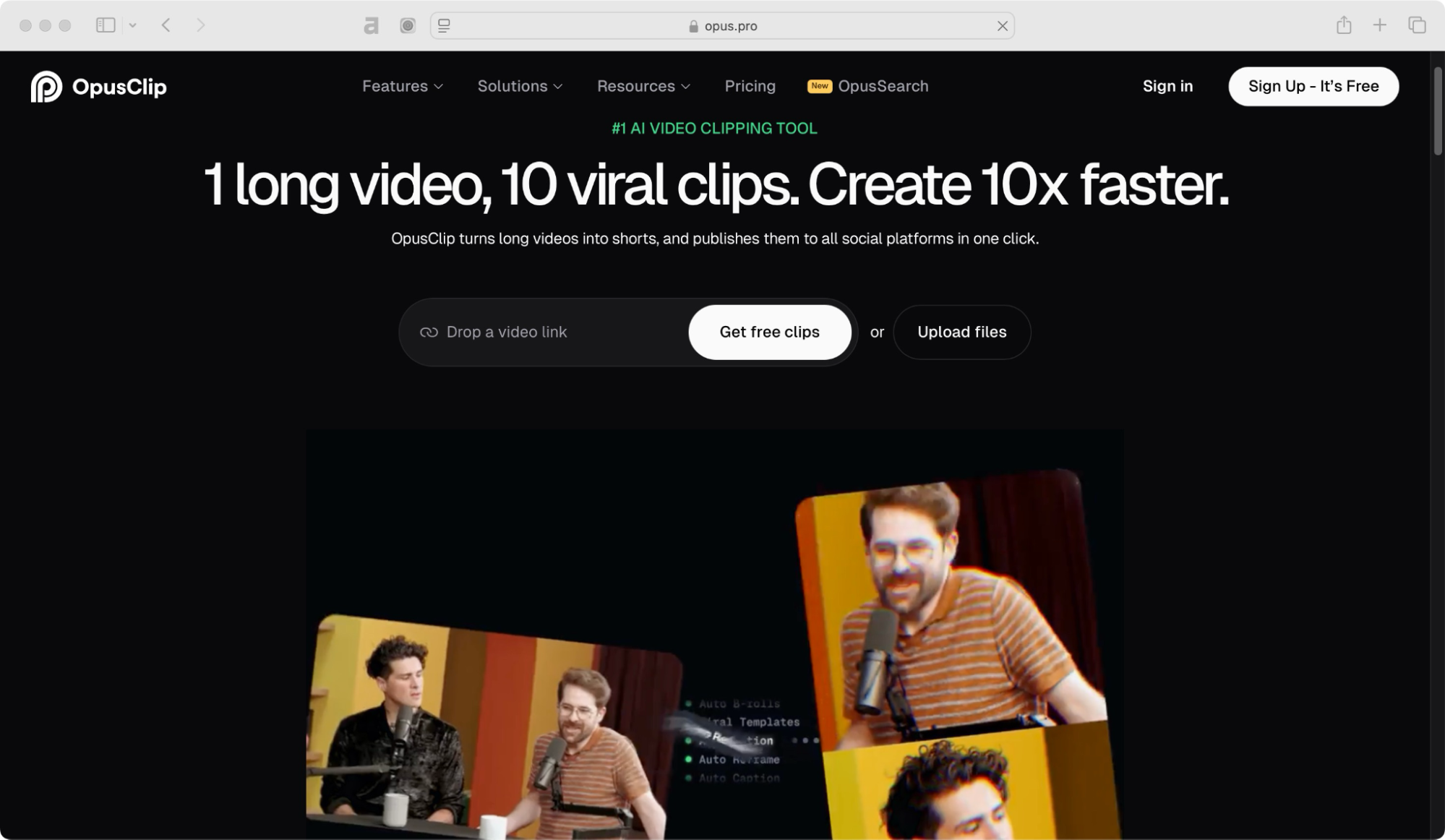
If you’re repurposing long-form content into short clips, OpusClip is a fantastic choice. It automatically finds the most engaging moments in your videos and adds captions to make them stand out.
Powered by AI, OpusClip helps you create 10x faster by identifying compelling hooks, extracting highlights, and rearranging them into cohesive viral shorts. With animated captions boasting 97%+ accuracy, AI B-Roll integration, and smart reframing for different aspect ratios, your videos are optimized for maximum reach.
OpusClip supports publishing across YouTube, TikTok, Instagram, Facebook, LinkedIn, and more—all with just one click. Plus, its social post scheduler and virality score feature help you strategize content for better engagement.
Trusted by over 10 million creators and businesses worldwide, OpusClip makes video editing effortless, allowing you to focus on growth. Try it for free and turn your long videos into viral-ready clips in seconds!
OpusClip pricing 💰
- Free (USD 0/month) – 60 credits, 1080p clips, AI captions with emoji & keyword highlights, watermark included, no editing.
- Starter (USD 15/month) – 150 credits, AI clipping with Virality Score, animated captions, auto-posting, 1 brand template, watermark removal.
- Pro (USD 14.5/month, billed annually) – 3,600 credits/year, team workspace (2 seats), 2 brand templates, AI B-roll, multiple aspect ratios, speech enhancement, social media scheduler.
- Business (custom pricing) – Priority processing, API access, custom storage, dedicated support, enterprise security.
OpusClip vs Submagic ⚖️
| Feature | OpusClip | Submagic |
| Best for | AI-powered video repurposing, turning long videos into short viral clips | AI-powered auto-subtitling and short-form content editing |
| AI subtitles | ✅ Yes, with automatic captions for short clips | ✅ Yes, with 98.9% accuracy |
| Animated subtitles | ✅ Yes, optimized for engaging short-form content | ✅ Yes, optimized for engaging captions |
| Ease of use | Simple and AI-driven for quick edits | Simple, AI-driven automation |
| Templates & presets | ✅ Yes, AI detects key moments and adds captions automatically | ❌ No, focused on auto-generated captions |
| Collaboration | ❌ No, primarily a solo tool | ❌ No, primarily a solo tool |
| Free plan | ✅ Yes, with limitations | ✅ Yes, with limitations |
| AI description | ✅ Yes, AI auto-generates descriptions and captions | ✅ Yes |
| Supported caption languages | 10+ | 50 |
| Background removal | ❌ No | ❌ No |
| Pricing | Paid plans start at $15/month | Paid plans start at $12/month |
| Best for social media creators? | ✅ Yes, ideal for repurposing long videos into short clips with captions | ✅ Yes, especially for captions & subtitles |
OpusClip reviews ⭐
- 4.4 out of 5 stars (13 reviews) on G2
- 4.8 out of 5 stars (33 reviews) on Capterra
Vizard
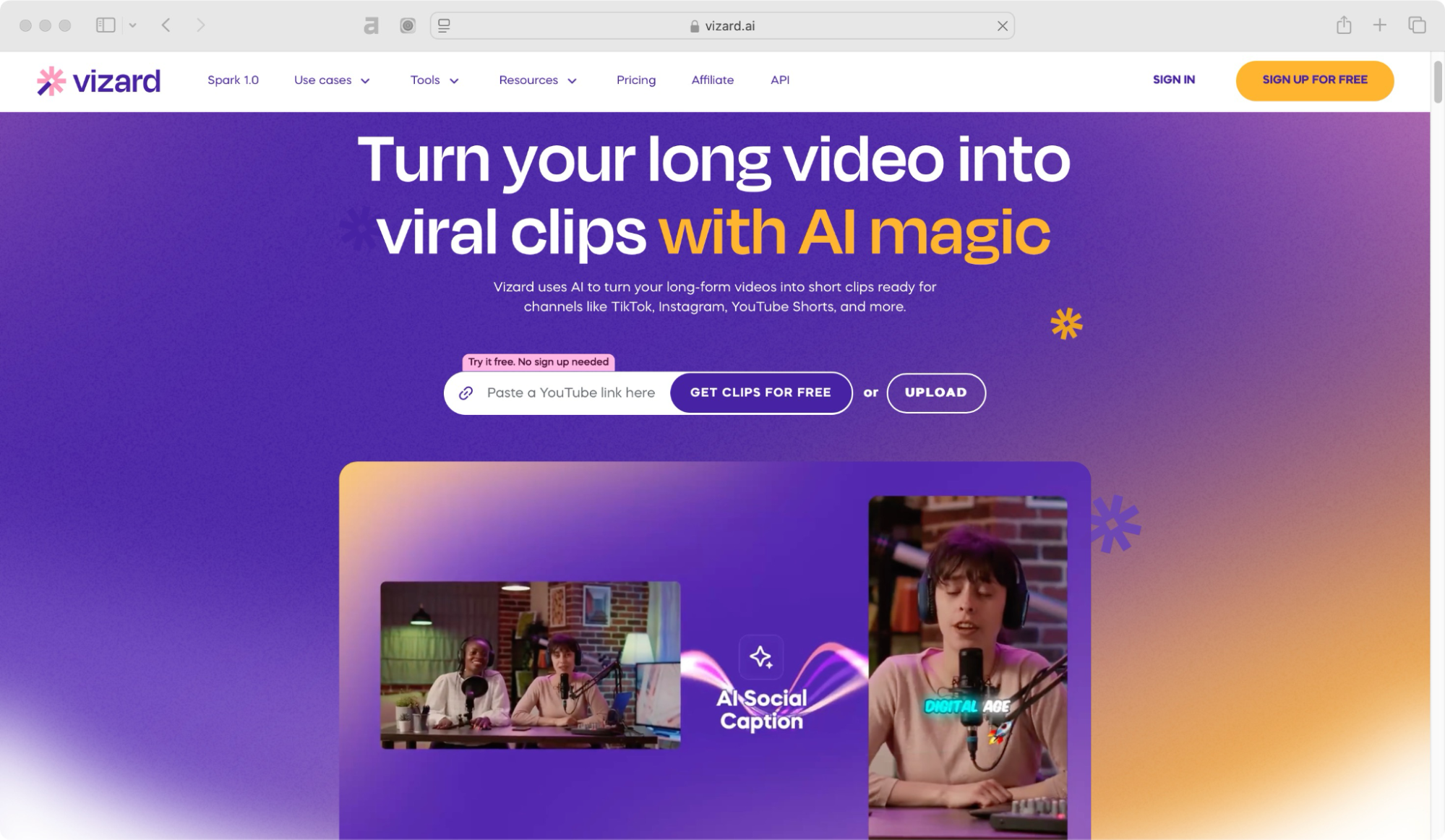
Speed is the main selling point of this tool—Vizard. It’s one of the fastest AI caption generators, making it perfect for high-volume content creators who need to process videos quickly.
Vizard takes efficiency to the next level by automatically identifying key moments in long-form videos and transforming them into engaging short clips for platforms like TikTok, Instagram Reels, and YouTube Shorts.
With AI-powered features like auto-clipping, speaker detection, auto-reframing, and smart captions, it eliminates the need for manual editing, saving both time and effort.
Whether you’re a podcaster, coach, marketer, or agency, Vizard helps you maximize your content reach with minimal effort. Trusted by over 5 million creators and businesses, it offers an intuitive, cost-effective solution to scale content production.
Vizard pricing 💰
- Free (USD 0/month) – 60 upload minutes/month, private workspace, manage 1 social media account, AI-generated clips, 720p exports, 3-day storage.
- Creator (USD 9.5/month, billed yearly) – 4,800 upload minutes/year, manage 6 social accounts, no watermark, 4K exports, post scheduling, lifetime storage.
- Business (USD 14.5/month, billed yearly) – 4,800 upload minutes/year, shared workspace, manage 20 social accounts, invite team members (+USD 5/seat), unlimited viewers, brand kit, custom fonts.
Vizard vs Submagic ⚖️
| Feature | Vizard | Submagic |
| Best for | AI-powered video repurposing, turning long videos into short clips with captions | AI-powered auto-subtitling and short-form content editing |
| AI subtitles | ✅ Yes, with automatic captioning and customization | ✅ Yes, with 98.9% accuracy |
| Animated subtitles | ✅ Yes, optimized for short-form videos | ✅ Yes, optimized for engaging captions |
| Ease of use | AI-driven, detects key moments for editing | Simple, AI-driven automation |
| Templates & presets | ✅ Yes, includes video formatting and styling templates | ❌ No, focused on auto-generated captions |
| Collaboration | ✅ Yes, team collaboration features available | ❌ No, primarily a solo tool |
| Free plan | ✅ Yes, with limitations | ✅ Yes, with limitations |
| AI description | ✅ Yes, generates AI-powered descriptions and transcripts | ✅ Yes |
| Supported caption languages | 15+ | 50 |
| Background removal | ❌ No | ❌ No |
| Pricing | Paid plans start at $9.5/month | Paid plans start at $12/month |
| Best for social media creators? | ✅ Yes, great for repurposing content into short-form videos | ✅ Yes, especially for captions & subtitles |
Vizard reviews ⭐
- 4.7 out of 5 stars (144 reviews) on G2
- 4.8 out of 5 stars (155 reviews) on Capterra
Try out Submagic alternatives & find your best fit
Looking for the perfect AI-powered video editing and captioning tool? Test, test, test!
Take advantage of free trials and explore different platforms. Some tools offer better caption accuracy, others provide more customization options, and some have faster processing speeds. The more you experiment, the easier it’ll be to find the best fit for your content creation needs.
I hope this guide helped you discover great Submagic alternatives to level up your videos. Now, pick the one that works best for you and start creating effortlessly!
💡 Want more AI-powered tools? Check out Unrola—AI App Store. ✨
