


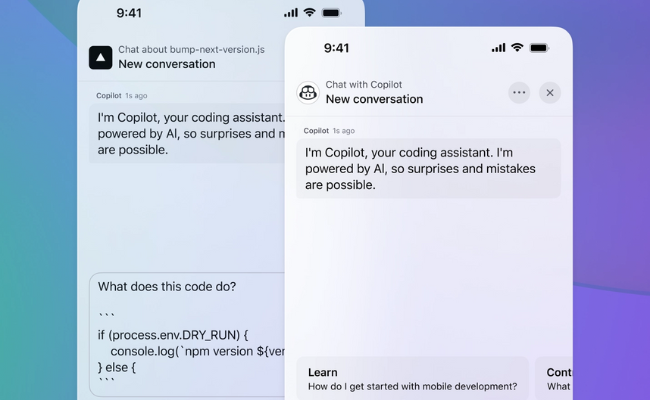

GitHub Copilot is an AI-powered coding assistant designed to make your development process smoother and more efficient. It can assist you with real-time code suggestions, help you debug issues faster, and provide contextual insights that align with your coding patterns and project needs. Whether you’re troubleshooting complex bugs, generating test cases, or optimizing your code, GitHub Copilot adapts to your coding style and boosts your productivity. Plus, it integrates seamlessly with popular IDEs like VS Code, JetBrains, and Xcode to make your coding experience even more efficient. Powered by OpenAI it helps you code cleaner, smarter and faster.
🚀 Generate tests, write documentation, and code smarter. Just ask GitHub Copilot a question, get instant solutions, and accept the perfect code in a single click!
🤖 Choose from top AI models like Anthropic’s Claude 3.5 Sonnet, OpenAI o3, and GPT-4o according to your needs and solve coding problems in seconds.
⚡ Make comprehensive updates with speed and accuracy using Agent Mode. Here Copilot gathers context across multiple files, suggests and tests edits, and validates changes.
✨ With Next Edit Suggestions, GitHub Copilot predicts your needs and adapts to your workflow—so you can code faster with less manual editing.
👱 Ask GitHub Copilot to review your work, catch hidden bugs, fix mistakes, and refine your code, before it reaches a human review.
🔧 Check logs, create feature flags, and deploy apps, all from Copilot Chat, backed by an ecosystem of third-party extensions and services.
💬 Chat with Your AI Pair Programmer on-the-go to get real-time coding assistance anytime, anywhere with GitHub Copilot.
📚 Pull insights, best practices, and code suggestions from leading open-source repositories like React, Django, VS Code Bootstrap and more. This helps you write better, and more efficient code by leveraging the collective knowledge of the open-source community.
⚠️ Detect and fix failed actions jobs to instantly identify errors. Debug them with detailed logs and re-run jobs to ensure smooth automation and reliable CI/CD workflows.
🖼️ Improve your coding experience by incorporating images into your prompts for better context and more accurate AI assistance.
📝 Set coding guidelines for your code review to ensure consistency and quality.
📂 Keep your instructions organized and easily accessible—save, reuse, and share prompt files for a more efficient workflow.
💲 Start with the free plan—great for solo devs and small teams at USD 0/month. Need more teamwork tools? Get the team plan for USD 4/user/month. For top security and flexibility, the enterprise plan starts at USD 21/user/month. Pick your plan and get coding!