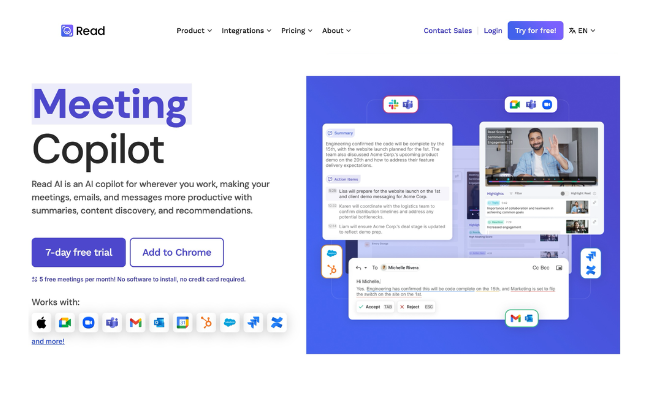


Every day, a lot of important conversations, like meetings, client calls, sales pitches, webinars, or even podcasts, are happening. But what if I asked that you never had to take notes again and still remembered every key detail? That’s exactly what Read AI does for you!
It’s a tool that transcribes, summarizes, provides recommendations, and analyzes engagement across all kinds of conversations. Whether you’re leading a team discussion, hosting a virtual event, or reviewing a training session, it captures everything so you can stay focused. No more scrambling for notes or forgetting action items, just clear insights and smarter collaboration.
📩 Read AI automatically summarizes your email threads, extracting key points and topic summaries so you can grasp essential details without sifting through endless messages.
🔑 Automatically pulls out the most relevant keywords from meetings, emails, and messages, so you instantly know what’s important.
✉️ Get suggestions or even automatically generate responses to common emails with its automated email responses.
🎙️ Read AI records, transcribes, and summarizes conversations in real time—whether you’re in a lecture, meeting a client, or brainstorming out loud.
📝 Automatically generates concise summaries of meeting discussions, highlighting key takeaways, decisions, and action items with its AI-meeting summaries.
📌 Just finished a meeting? Read AI drafts personalized follow-up emails based on discussions, so you never forget to follow up on key points.
👥 Access all meeting insights, notes, and action items in one place, so teams can stay aligned and make informed decisions faster.
📶 No internet? No problem! Read AI processes notes and transcriptions offline, syncing them once you’re back online.
🔍 Instantly amplify your understanding of any topic with source citations right at your fingertips. The source panel allows you to pinpoint the origin of action items, key questions, and more, providing valuable context. With just a click, jump to the email where it all began.
🔗 Access your notes and summaries across devices with its cross platform synchronization which lets you connect with your favorite communication channels like Gmail, Outlook, Slack, Teams, and CRM systems to simplify sharing and reviewing your notes.
💲 Read AI has a free plan that lets you generate up to 5 meeting reports per month with basic summaries and support for Zoom, Google Meet, Microsoft Teams, and Webex. The Pro plan costs USD 15 per month and gives you unlimited meeting reports, team workspaces, and integrations. The Enterprise plan at USD 22.50 per month adds features like playback and premium support. For even more, the Enterprise+ plan at USD 29.75 per month includes extra security, longer meeting durations, and 300 free upload minutes.